The Copy-Paste Tax: What Writing in ChatGPT and Claude Actually Costs
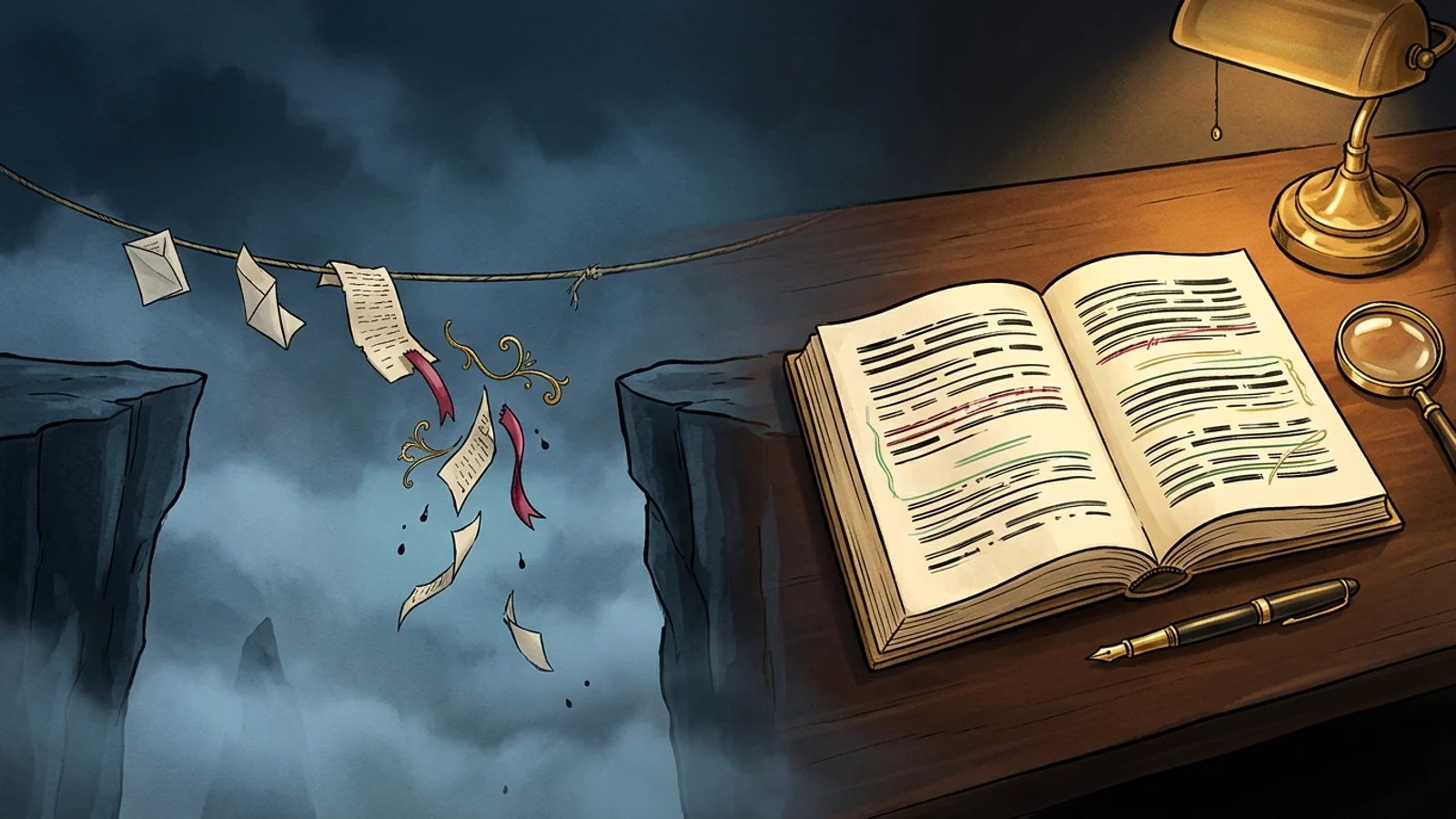
Asking AI to tighten a passage in a browser chat tab and pasting it back into your editor looks like two quick shortcuts. What actually wears you down is the shattered formatting, the backstory you re-paste from scratch, and the quiet dread of not seeing which lines got silently cut.
Anyone who writes long drafts has lived through this exact five-minute comedy: two paragraphs of dialogue in the chapter on your screen read stiffly no matter how you tilt your head at them, so you highlight the exchange, flip over to a browser tab, paste it into ChatGPT or Claude, and type "Help me tighten the pacing of this dialogue."
Seconds later a cleaner version appears, and at first glance it really does snap harder. Pleased, you copy it back into your document—whereupon your subheading flattens into ordinary body text, your italics and smart quotes go sideways, and sometimes a faint grey highlight clings stubbornly behind every line. You spend five patient minutes putting the formatting back together row by row, rest your fingers on the keys to keep writing, and suddenly freeze: wasn't there half a sentence of quiet subtext in the original that just got trimmed clean out? You reach for Undo to check, only to realize your undo stack was buried ten steps ago under all your font and indent fixes.
And of course it never stops at one pass. Ten minutes later you want to nudge the tone again, so you copy the freshly pasted passage back into the chat box. Three or four round-trips in, four or five half-finished variants are stacked up the browser scrollback, a patchwork version sits in your editor, and even you start losing track of which line came from tonight's pass and which one you wrote at midnight yesterday.
Plenty of writers close their laptops exhausted at the end of the night and assume revising with AI is just surprisingly draining brainwork. Add up where the evening actually went, though, and any major model has been plenty sharp enough to tighten two paragraphs of dialogue for a long time now—what really wears you down is that your manuscript and the AI helping you revise it don't live under the same roof.
Pressing Copy and Paste looks harmless—two keystrokes, maybe three wasted minutes on a single pass. Never quite painful enough to make you stop in the moment, yet repeated across every paragraph, every chapter, hundreds of times over the life of a book. That quiet toll is the copy-paste tax, and on a long manuscript it compounds fast.
How two harmless keyboard shortcuts slowly drain a draft
The most obvious toll is the formatting wreckage left at the border every time text crosses between apps. A chat window spits out a message bubble; it has zero stake in your document's heading hierarchy, first-line indents, list spacing, block quotes, or section breaks. Whether you're moving three paragraphs or half a chapter back into place, every trip home forces you to take off your writer's hat and spend five minutes working as a typesetter.
Even more tiring than fixing lost italics is rebuilding context from scratch over and over. A browser chat box cannot see the eight finished chapters sitting in your project folder, nor the three pages of character bios and house terms you spent last month getting straight. Every time you open a fresh thread to rework a scene, you first have to dig open three or four files to paste how two people know each other, how each of them talks, and where the last scene cut out—skip that chore once out of impatience, and the dialogue immediately sounds like two polite strangers in an elevator.
Yet for anyone who cares about sentences, the deepest unease comes from whole-block replacement itself: you can't see which of your lines it quietly touched.
An ordinary chat window hands you a freshly rewritten slab of prose. It never takes a red pen to your page to mark "I cut these three words and swapped out this verb." On a two-hundred-word snippet you can eyeball the difference; on a thousand-word turning point, checking whether a planted clue got smoothed away—or whether your spare, clipped cadence got ironed into generic throat-clearing—means parking the browser on the left and your editor on the right, playing spot-the-difference line by line with tired eyes. Miss one silent cut, and by the time something feels off during a full read-through two weeks later, the original phrasing is long gone.
Attention itself doesn't survive that commute intact, either. Plotting in a browser tab, drafting in a word processor, keeping lore in local folders—every Alt + Tab or Cmd + Tab snaps the fragile rhythm you just spent twenty minutes building. Half the tiredness people blame on "writing with AI" isn't writing at all; it's switching rooms every four minutes.
Why you still end up hauling text even as chat apps add canvases
In fairness, standalone chat apps aren't doing anything wrong here.
From day one, a chat window was built to trade messages back and forth. When you want to check an obscure historical detail, brainstorm five chapter titles, or untangle a knotty technical term, opening a tab, getting an answer, and closing it again is tough to beat.
Over the past couple of years, chat platforms have worked hard to bolt side-by-side document canvases onto the browser so you can open a scratchpad beside the conversation. If all you're writing today is a standalone thousand-word memo or blog post you'll publish and move on from, that canvas does the job nicely. The moment your project is a thirty-chapter novel or a nonfiction manuscript backed by folders of research, though, the awkwardness hasn't budged an inch—what sits in that canvas is still just one loose sheet unfolded inside a single chat session, not your actual book.
Your twenty finished chapters, character bios, outline mind maps, and version history are still parked somewhere else. Finish polishing that one sheet, and you still have to select all, copy, switch back to your real editor, and paste it home—then repeat the whole ritual from zero for the next chapter tomorrow night.
Strip away the feature checklists, and the real question was never "which model writes prettier sentences." It's whether the AI stands inside your study or out in the hallway. As long as it stands outside the door, you're the one carrying pages back and forth.
Habits that cut the hauling right away if you still revise in browser chat
If you're right in the middle of a pivotal chapter inside a web chat window and local documents tonight, you don't need to upend your setup mid-scene. A couple of small guardrails will trim the worst of the friction immediately.
First, resist dumping an entire four-thousand-word chapter into a chat box with a vague "please polish this." The broader your request, the looser the rewrite: what comes back reads vaguely smoother on the surface, with every sharp edge of your own voice sanded flat and no realistic way to audit what changed. Pull out just one or two paragraphs at a time, and pair them with a firm boundary:
Revise only the passage below. Tighten the back-and-forth pacing of the dialogue and trim spare modifiers, leaving word-choice habits and factual details untouched. At the end, add two brief sentences listing the exact spots you cut or changed:
[Paste the passage here]
Adding that final instruction—asking it to name plainly what it cut or altered—forces silent deletions out into daylight. Before pasting anything back into your manuscript, scan what got removed first: AI almost never introduces pregnant silence on its own, yet it loves straightening your deliberate half-spoken subtext into flat explanation.
Second, keep your character bios, house glossary, and chapter recaps together in one clean reference doc you can open in two seconds, instead of letting settled canon scatter across forty old chat threads. Even when you have to paste background by hand, grabbing three clean paragraphs from one file beats scrolling upward for ten minutes hunting for whatever you decided last Tuesday.
When the conversation and the manuscript live under one roof
Our starting point for Muses was dead simple: if revising a book means talking through choices and reshaping sentences side by side every day, knock down the wall between the chat window and the manuscript editor.
Open a project and the workspace lays out cleanly in three columns: your chapter list and Materials on the left, your open chapter or Mind Map canvas in the middle, and the AI chat panel on the right—drag column widths to suit your screen, or tuck the chat panel away whenever you want nothing between you and the page.
Once that wall is gone, tightening a stubborn passage stops feeling like an errand.
Spot two paragraphs dragging their feet, highlight them right inside the chapter, and tell the chat panel on the right: "Tighten the pacing of this exchange, cut extra adjectives, and leave each character's phrasing habits intact." The exact passage you highlighted rides along automatically above your message—zero copying, zero worrying you clipped half a line.
Seconds later the revision lands, and instead of overwriting your draft behind your back, it marks deletions and additions right on your original sentences in place (see inline review): cut words struck through, suggested phrasing sitting right beside them. Read straight down the page clicking Accept where a trim lands cleanly and Reject where your own original wording has more bite, or approve and dismiss a whole stretch at once. Until you say so, your original prose sits untouched on the page; if you click Accept and think better of it a second later, one click undoes that pass, and every settled draft stays backed up in version history whenever you want to look back.
When reworking that scene depends on a clue planted six chapters back or a character bio, you don't flip out to local folders either. Type @ (both halfwidth @ and fullwidth @ work) in the chat box to attach relevant chapters or materials by name—up to 5 items in a single message—or simply ask the AI to search across your project's chapters, materials, and mind maps by character name or keyword to check the earlier passage on its own. Revising an existing Mind Map outline follows the exact same manners: changed branches light up node by node on the canvas first, and write in only after you confirm them.
A parting thought before your next revision pass
Looking back, copying and pasting was never a sign of a lazy writer—it's just the clerical busywork left behind when two tools can't see each other. Three or five lost minutes at a time barely register on the clock, until a hundred-thousand-word manuscript turns them into hours of focus and creative stamina bled away from the story itself.
Once you stop flipping windows, rebuilding broken italics, and hunting nervously for vanished subtext every time you polish two lines of dialogue, AI stops being an outside contractor slipping notes under the door and settles in as a quiet editorial partner right beside your desk.
If you're tired of ferrying paragraphs between browser tabs and document files, start a project and test in-place selection rewrites and inline review on a chapter you're already revising, or explore how the novel writing software and AI book writer fit a full-length manuscript. And if long drafts also have you wrestling with mid-book continuity slips or pacing across chapters, continue with our long-form context guide, the full workflow for writing a book with AI, and how to get better at writing.
Signing up is free and comes with the default Clio model plus 50,000 StarPower a month; if you upgrade later, paid plans are billed by subscription in US dollars, with current pricing shown on the checkout page. Start free.
Frequently asked questions
What gets lost most easily when copying and pasting between a chat window and an editor?
Formatting is the first casualty: subheading levels, italics and bold, lists, block quotes, and section breaks often collapse into plain paragraphs or carry over stubborn grey background shading that you have to clean up by hand. Even trickier is losing track of versions—after three or four round-trips, half a line of subtext the AI quietly trimmed and your earlier draft sit scattered across two apps until you aren't sure which version is your real cut.
Does writing alongside AI always require copying and pasting text back and forth?
Not necessarily—it depends entirely on where the AI lives while you work. If it sits inside a standalone browser chat tab, manual copy-paste is the only bridge; if it works right inside your writing workspace, reads the passage you highlighted, and marks deletions and additions directly on your original sentences for approval, the hauling step disappears altogether.
Do built-in canvas features in web chat apps solve long-form manuscript revision?
They work well for polishing a standalone short piece, though a wall still goes up once you're revising a multi-chapter book or a novel backed by lore files. A chat app's canvas only edits the single temporary sheet spun up inside that conversation—not the full set of chapters, character bios, and outlines living in your manuscript project—so when you finish, you still have to haul the whole page back into your real book folder.
If an AI inside my editor revises prose directly, could it accidentally overwrite my original draft?
Not in Muses. Every change the AI proposes to existing text appears marked right on the original sentences first, making every cut word and suggested phrasing easy to spot at a glance; not a word of your draft moves until you click Accept or Reject, you can undo an accepted pass in one click right afterward if you reconsider, and settled drafts keep version history as a safety net.
When revising a scene that depends on earlier chapters or character notes, do I still have to paste that background by hand?
No. Inside a single Muses project, chapters, Materials, and Mind Maps share one workspace: you can type @ in the chat box to attach relevant chapters or lore files by name—up to 5 items in a single message—or simply ask the AI to search keywords across your project and pull up earlier passages on its own.
Can outline mind maps also show proposed edits before saving, the same way prose does?
Yes. When you ask the AI to adjust an existing Mind Map in Muses, added, edited, or removed nodes light up one by one on the canvas first and save only after you confirm them; if you ask for a brand-new Mind Map from scratch, it generates and saves directly into your project.
Can I try selection rewrites, inline review, and @ mentions on the free plan?
Yes. Signing up gives you free access to the default Clio model and 50,000 StarPower a month, with side-by-side chat, selection rewrites, inline review, @ mentions, project search, and Mind Map review all included; advanced models, PDF uploads, voice, and image generation have their own quotas or paid subscription tiers.