Why AI Forgets Your Plot by Chapter 10 (And How to Manage Long-Form Context)
Through Chapter 5, the AI catches every character quirk; past Chapter 10, it starts dropping backstory and bringing written-off characters back into the room. Let's talk about why endless chat threads lose the plot—and how to keep your lore, earlier chapters, and tonight's scene neatly in place.
Almost anyone who has tried drafting a full-length novel alongside an AI in a chat app has ridden the exact same rollercoaster from delight to quiet despair.
Through the opening five chapters, you feel like you struck gold. Your protagonist injured their right hand years ago and always reaches for things with their left, speaks in spare, clipped sentences, and a pivotal supporting character exited the story for good at the end of Chapter 4—in those early pages, without you having to nag, the AI catches every nervous tic and cadence of dialogue without missing a beat.
Then you ride that same chat thread seventy or eighty turns deep and sit down to draft a high-stakes two-hander confrontation in Chapter 10. Seconds later, the draft lands on screen: your protagonist casually reaches across the table with their right hand, and the person sitting opposite suggests going to sound out the very supporting character who died six chapters back.
You let out a long breath and type a correction: Protagonist is left-handed, and that character died in Chapter 4. The AI couldn't be more gracious—it apologizes on the spot and rewrites the exchange. Peace holds for two whole chapters. By Chapter 12, it turns your female lead's biological younger sister into her cousin. Fed up with a sluggish, muddled thread, you finally bite the bullet and start a fresh chat—only to stare at an empty message box and realize that twelve thousand words of character bios, world rules, and everything that happened in Chapters 1 through 9 are stranded back in the old window. Unless you open a dozen local files and copy-paste a briefing packet together by hand, you can't even get the opening line of Chapter 10 onto the page.
Modern models routinely advertise context windows of hundreds of thousands—even a million—words. How can they lose track of a single novel that isn't even halfway written?
If the window holds hundreds of thousands of words, why does Chapter 10 still go sideways?
Most writers' first guess is "Did my manuscript hit the token ceiling?" Do the actual math, though, and nine chapters plus your back-and-forth chatter rarely come anywhere near the limit. Capacity isn't what breaks your continuity. What breaks it is that an ever-unspooling chat transcript is a giant dye vat where finished canon and discarded scraps all bleed together.
Scroll back through an eighty-turn thread sometime and look at what is actually sitting inside it. Around Chapter 4, you went back and forth for five or six turns debating whether to spare a character's life before finally deciding to write them off; at the end of Chapter 7, the pacing felt tepid so you asked for three different rewrites of the closing scene; wedged in between are twenty-odd side exchanges naming towns and checking background lore.
To you sitting in front of the monitor, every rejected tangent is crumpled paper in the wastebasket—only the version you pasted into your manuscript file counts. A language model has no wastebasket. As long as everything lives inside one continuous session, your cut plot branches, three abandoned endings, and final prose all lie flat on the exact same tabletop. The deeper into the book you get, the more contradictory old drafts accumulate, until the model can barely tell which version won.
On top of that, models read ultra-long stretches of text a lot the way tired humans do: rules stated right at the top and whatever you talked about in the last few turns stay sharpest, while details tucked into the middle are the first to blur. An offhand half-sentence back in Chapter 3 about an old right-hand injury gets washed out by fifty turns of lively plot talk; without a fresh reminder, ordinary prose habits take over and out comes "he reached out his right hand." And if the chat app quietly compresses older messages into a background summary to save compute, the headline plot beats survive ("Chapter 4 conflict, recovered the key ledger") while the quiet setups your mystery actually hangs on ("which page was torn out of the ledger," "what exact minute the pocket watch stopped") get ironed clean out of existence.
When you finally abandon the old window and open a brand-new chat, the noise drops back to zero—and so does its memory of your novel. Starting every night's writing session with half an hour of copy-pasting "previously on..." is the fastest way to drain the momentum out of a long book.
Stop piling an entire novel into one scrolling chat log
Keeping AI sharp at Chapter 30 or Chapter 50 doesn't come from hunting down a million-word mega-window. It comes from changing how your book's working papers are arranged.
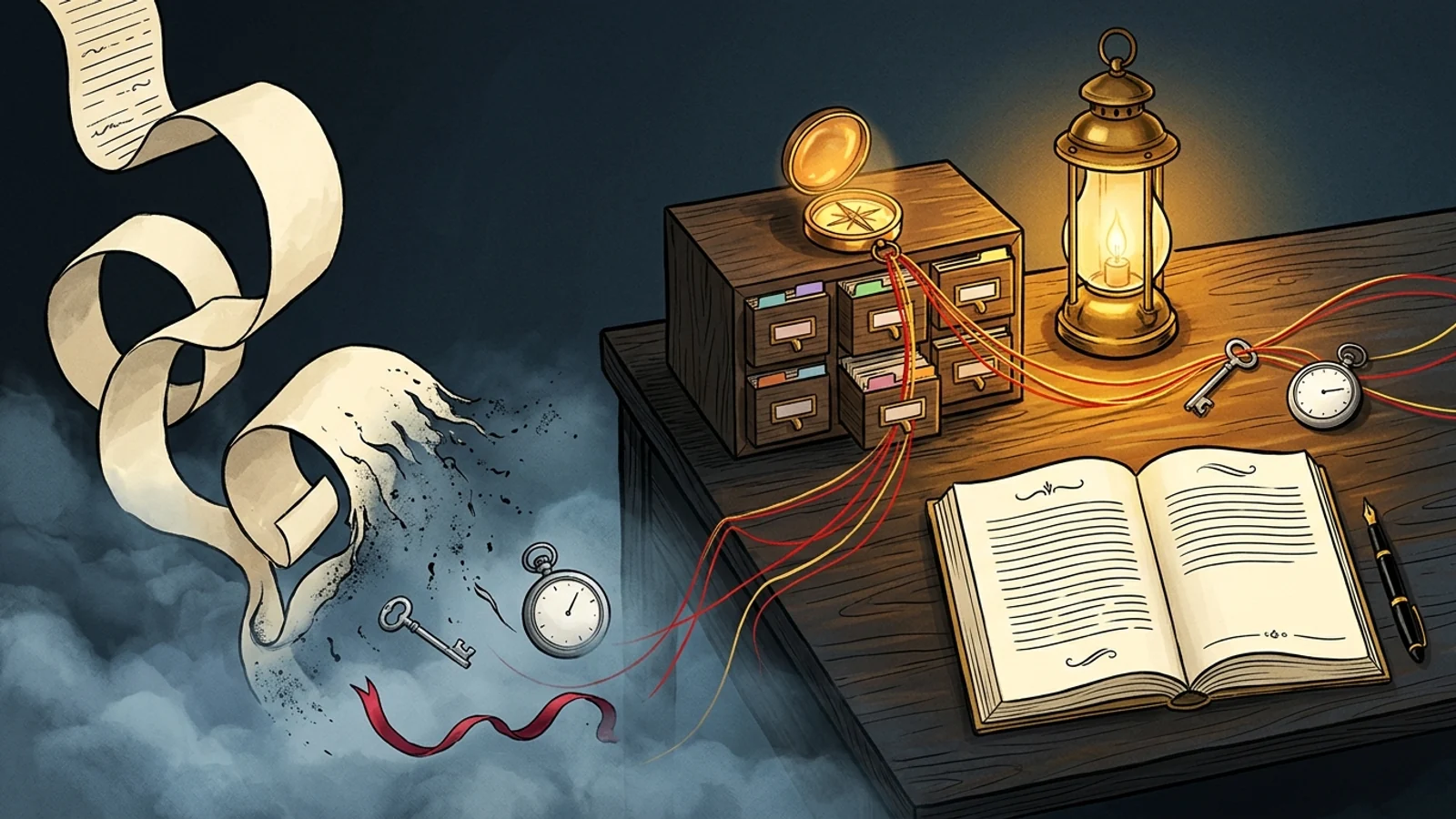
Think about how novelists wrote sprawling manuscripts long before AI showed up. Nobody dumped character sheets, crumpled false starts, newspaper clippings, and thirty finished chapters into one tangled heap in the middle of their desk. Working writers naturally settle on the same arrangement: drawers hold the archive; the desktop holds tonight's scene.
Writing alongside AI works on the exact same principle. The unbreakable house rules of your novel—whose point of view holds the camera, what prose register you want, the hard laws of the world, where the main arc stands right now—only come to a few hundred words all told. Those belong pinned right above your desk like an index card, steady every time you sit down to work. Your part outlines and chapter beat sheets are the road map you pull out when plotting the next stretch or checking whether a subplot drifted off course.
Meanwhile, detailed character bios, old scars, faction customs, and finished chapters belong tucked inside their drawers until a scene actually calls for them. If Chapter 10 tonight is a tense two-person scene, pull out just those two character sheets and the single earlier chapter directly tied to their argument; leave the main villain and side cast who aren't in the room untouched in the drawer.
The cleaner the desk and the more exact the clues sitting in front of you, the truer every gesture and line of dialogue stays to your cast.
Habits that steady your draft tonight, even in an ordinary chat window
If you're already mid-draft inside a browser chat app right now, you don't need to tear up your routine. Picking up a few simple habits tonight will cut post-Chapter-10 continuity slips in half right away.
First, move settled plot decisions into your real documents the same day—never treat chat history as your archive. A chat box is scratch paper; your manuscript and lore documents are the only canon that counts. The moment a late-night brainstorm changes a key keepsake or shifts two characters' history, update your character sheet on the spot instead of hoping the AI will guess next Tuesday which of four brainstormed versions you decided to keep.
Second—and this two-minute habit punches way above its weight—jot down a 100-word Chapter Handoff Note every time you finish a chapter. Opening a new chapter shouldn't mean pasting forty thousand words of Chapters 1 through 9 into the prompt, and it shouldn't mean typing a vague one-liner like "last chapter they had a fight." Right as you wrap a chapter, record just the four hard state changes that actually shifted:
[Chapter Handoff Note]
- Time & setting: Exact moment and place where this chapter ended
- Characters in the room: Who is present, any active injuries or fixed physical habits (e.g., uses left hand), and where their emotional temperature landed
- Locked-in facts: Characters already written out of the story, key items that just changed hands, and who still doesn't know which secret (information gaps)
- Closing beat: The exact physical action or interruption the scene cut out on, where Chapter [X]'s opening sentence picks straight up
Barely a hundred words, yet it nails down physical traits, who is actually standing in the room, who is keeping what from whom, and the exact second the camera cut—the four things most likely to slip in the next chapter.
When you sit down the following evening to start the next chapter, open a crisp, uncluttered chat window and bring in only the people and facts walking through the door for this scene:
We're moving into Chapter [X] of the novel. Hold off on drafting prose yet—read through the setup below and walk through how this scene plays out with me first:

1. House rules for the book: [State your POV and prose style—e.g., close third-person tied to the protagonist, spare grounded sentences, carry tension through physical action and dialogue rather than blunt emotional summaries]
2. Characters on stage in this scene: [Paste only the 2–3 character bios appearing in this chapter; anyone not listed here does not appear]
3. Where the previous chapter cut out: [Paste your 100-word Chapter Handoff Note from the last chapter]

This chapter covers one focused scene: [In two or three sentences, spell out who is probing whom, what tell or slip gives something away mid-scene, and the beat where the chapter snaps shut]. Sketch out the three back-and-forth turns of their exchange first.
One small trap worth flagging while we're here: if a draft still gets a character detail wrong one night, resist the urge to fire back three or four replies snapping "Wrong! Left-handed! Rewrite it!" Going three rounds in the comments fills the screen with the mistake and a string of apologies, which keeps the wrong word glowing bright in recent context two turns later. The cleanest fix is clicking Edit on the message you just sent, tucking the missing reminder straight into your prompt, and regenerating cleanly so the wrong branch never enters the transcript at all.
Moving a long novel into Muses so you stop playing daily recap courier
Those habits will keep a book upright in an ordinary chat window, though digging through folders for character cards, pasting house rules, and maintaining handoff notes by hand every single night is still clerical legwork. Taking that daily errand-running off the writer's plate is why we built Muses—since your chapters, lore, and conversations all belong to the same novel anyway, letting them live inside one project means you stop acting as the messenger between them.
Walk through the ordinary week-to-week rhythm of drafting a novel in there, and you can feel right away where the friction drops out.
When you start a book and create a new project with Novel as the category, the upper half of the left sidebar stays clean for your manuscript chapters, while Materials underneath already comes stocked with four ready-made folders: Worldbuilding, Characters, Story Outline, and References. Drop the hard laws of your setting into Worldbuilding, put your main cast bios into Characters, and file away txt, md, and docx notes, reference web links, and scene images into neat folders. Inside a Novel project, the AI checks those setting folders before drafting or revising a chapter, so you don't have to open every conversation by pasting three thousand words of background just to remind it who's who.
For the rules and progress that need to stay steady from Chapter 1 to the final page, persistent memory keeps watch across three layers: cross-book habits like preferring crisp sentences or avoiding exclamation marks live in User memory; this novel's point of view, core relationships, and which chapter you're currently on sit in Project overview; topic-by-topic notes—say, a subplot timeline or the trail of a key clue—live in Project details, and can link directly to the chapters or materials they belong to. Every time you open a new conversation inside the project, User memory and Project overview come along automatically, and inline cursor continuation and voice dictation in the editor draw on them too alongside active details linked to your open document. Anytime you want to see what it has on file, click View memory in the editor to read everything plainly; when a major plot turn shifts mid-book, mention it in chat or switch to the Memory Refresh work mode so it reconciles the notes against your manuscript.
Once you hit the middle stretch—twenty or thirty chapters deep—the chat panel on both web and desktop lets you open multiple session tabs inside the same project. Keep one tab on the left for untangling next volume's subplot, and click New Conversation to open a clean tab dedicated strictly to polishing tonight's two-hander scene—none of the dead-end brainstorm ideas from the first tab ever bleed across to muddy your prose.
When a specific scene needs exact files front and center, type @ (both halfwidth @ and fullwidth @ work) in the chat box to attach the relevant character bios and earlier chapters by name—up to 5 project articles or materials in a single message. And when you hit Chapter 40 and suddenly blank on how you described a keepsake back in Act One or what a minor character from twelve chapters ago was named, you don't have to comb through old files yourself. Ask in chat, and the AI searches across your saved chapters, materials, Mind Map nodes, and memory to pull up the exact passage for you to verify; if you adjust your outline on the Mind Map canvas along the way, changed nodes light up first and only save once you give the nod.
Revising chapter prose feels just as steady. Highlight two paragraphs of dialogue in your chapter and that selection travels with your message automatically. Edits to an existing article never overwrite your finished prose behind your back—instead, deletions and additions appear marked right on the original sentences (see inline review). Click Accept where a tighter gesture lands well, or Reject where your original phrasing rings truer; not a single word of your draft changes until you confirm it, you can undo an accepted edit in one click right afterward if you have second thoughts, and every saved pass stays in version history. Even if you prefer working on local projects in the desktop app, signing in online gives you the exact same side-by-side chat, project search, and in-place review feel.
A parting thought before tonight's chapter
At the end of the day, AI "forgetting" your story around Chapter 10 isn't the model suddenly losing its edge—a single scrolling chat box simply wasn't built to hold an entire novel. Pile dozens of rejected brainstorms, character bios, and ten chapters of prose into one long timeline, and anyone sitting across the table would start mixing things up.
Let memory hold the house rules pinned above your desk, keep character bios and finished chapters tucked neatly in Materials and your chapter list ready whenever a scene calls for them, and give every new scene an uncluttered desk. Once you stop spending the first half hour of every writing night reminding your tool where you left off, the unbroken momentum a long novel needs finally has room to run.
If you have a manuscript sitting around Chapter 10 or 15 where continuity is starting to fray, start a novel project and bring your lore and opening chapters inside to feel the difference firsthand, or take a look at how the novel writing software and AI novel editor support long-form serials and revisions. And if you're still mapping out tens of thousands of words of beat sheets—or tired of shuttling paragraphs between two apps—read on with our novel outline guide, the copy-paste tax, and the full workflow for writing a book with AI.
Signing up is free and comes with the default Clio model plus 50,000 StarPower a month; if you upgrade later, paid plans are billed by subscription in US dollars, with current pricing shown on the checkout page. Start free.
Frequently asked questions
Why does AI still forget plot details even when the model advertises a huge context window?
A context window only measures how many words a model can fit in one turn, not how evenly it tracks every detail inside it. Once a single chat stretches past dozens of turns, rejected plot tangents, half-baked rewrites, and finished scenes all sit mixed together, so an offhand detail from a middle chapter easily gets drowned out by recent chatter or smoothed away during background summarization.
Should I keep an entire novel inside one continuous chat thread from start to finish?
Better not to. The longer one conversation drags on, the more discarded ideas and side-talk pile up, until the model can barely tell which version still counts as canon. A much calmer setup is keeping your character notes, outline, and finished chapters outside the chat and opening a fresh session for each new chapter or task.
Do I have to re-paste my character sheets and earlier chapters every time I start a new chat?
In an ordinary web chat window you do have to gather and paste context yourself, though you never need the whole manuscript—just a few hundred words of house rules, a short handoff note from the previous chapter, and bios for the characters in this scene. Inside a Muses project, User memory and Project overview come along automatically in every new chat, Novel projects check your setting folders in Materials before drafting, and you can type @ to pull in the exact files a scene touches.
When the AI gets a character detail wrong, does calling it out in the chat and telling it to try again work?
Once in a while a quick nudge is fine, though arguing back and forth for two or three rounds usually makes things worse. All the wrong phrasing and apologies stay right there in recent context, making it even easier for the model to repeat the slip two chapters later. In a regular chat box, edit your previous message to add the missing reminder and regenerate from there; in an editor with inline review, simply click Reject on the bad edit.
How does persistent memory in Muses keep track of settings across a long novel?
It splits what needs remembering into three places: cross-project prose habits live in User memory, the current novel's main arc, point of view, and drafting progress sit in Project overview, and topic-specific notes like a subplot timeline live in Project details. Every new conversation automatically brings in User memory and Project overview, and as you work on specific scenes the AI checks or updates relevant Project details on demand.
Can I see what the AI actually remembered about my book and fix anything that drifted?
Yes. Open View memory inside the editor anytime to read your User memory, Project overview, and all Project details in plain sight; if a plot turn changes or a note gets out of date, just say so in chat or switch to the Memory Refresh work mode and the AI will reconcile the notes against your manuscript.
Does the free plan include Materials, @ mentions, multiple chat tabs, and persistent memory?
Yes. Signing up gives you free access to the default Clio model and 50,000 StarPower a month, with project chapters, Materials, Mind Maps, multiple session tabs, @ mentions, project search, and persistent memory all included; advanced models, PDF uploads, voice, and image generation have their own quotas or paid subscription tiers.